


I’ve used Windows for over a decade as my primary operating system for a few different reasons. Mainly, it was about two things: price and gaming. When I bought my first computer, I couldn’t really afford a Mac, and even if I had the money at the time, I also wanted something I could game on, which made Windows the only real choice.
Things have changed a lot since then with my life, my computing needs, and what’s on offer from Microsoft and Apple. But despite all the changes, I’ve continued using Windows. Largely, it’s because one of the beats I started covering at MobileSyrup was Windows, which in turn meant writing about and reviewing a lot of Windows laptops. But I’ve been itching to try out a Mac again, especially after Apple made the switch to the M-series chips that everyone says are great.
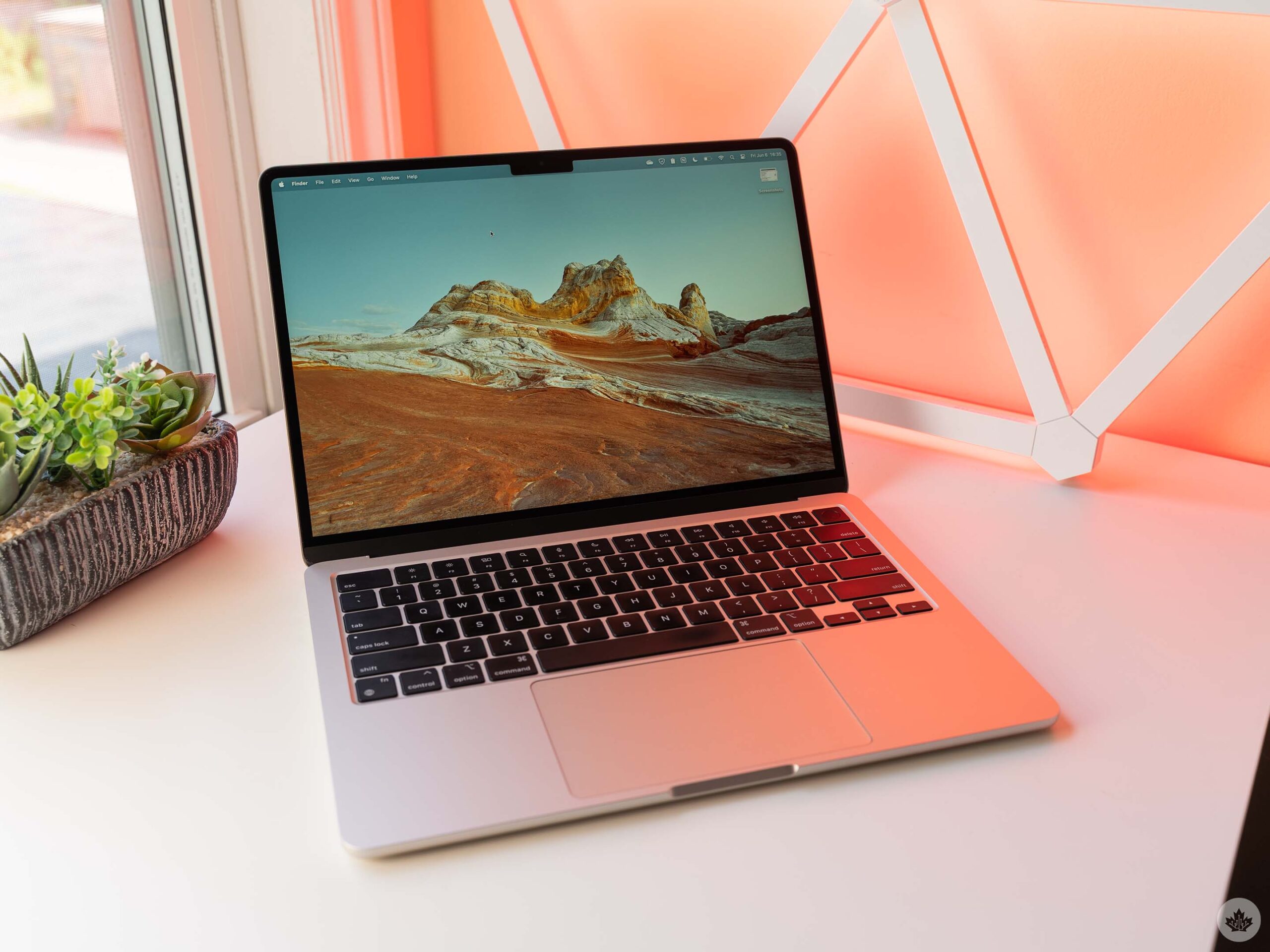
Well, I finally got my opportunity and recently spent a few weeks using a MacBook Air as my daily driver for work. The specific model sports 16GB of RAM and an M3 chip, so not the latest and greatest, but new enough to give me a taste of the M-series chip and the general MacBook life.
It was a pretty interesting experience overall and a valuable one at that. There was a lot I liked, and quite a few things I didn’t. Ultimately, I’ll be sticking with Windows, but maybe not for the reasons you think.
A lot to like

Let’s start with the hardware, because that’s one area where I think the MacBook Air, and Apple products in general, really shine. The build quality is fantastic. The Air is easily one of the most solid, well-built laptops I’ve ever used. The display is nice, it’s quite thin, and the fingerprint scanner is easily one of the most reliable on a laptop.
I also quite like the keyboard, which offers a clicky tactility that just makes my brain happy. (I’m well aware that Apple has had struggles with MacBook keyboards in the past, but those problems were addressed with newer models.) Similarly, the trackpad is fantastic. Overall, the physical experience of using the MacBook Air is superb and only matched by some of the highest-end Windows machines.
The M3 chip, however, was more of a mixed experience for me, though I’ll just focus on the good for now (the bad is coming a little further down). Performance was really solid on the M3 and I had no issues with slowdowns or anything like that. Browsing the web was great, Photoshop worked well, all of my apps (including the odd one that still required Rosetta 2) ran smoothly. Nothing to complain about in that department.
macOS is cool

Switching gears to macOS itself, things got a little bit weird. Again, there was a lot I liked, but I was quite surprised by how much I didn’t like. To be fair, some of it just comes down to experience — I’ve used Windows a lot longer and am better acquainted with its systems — but I’m getting ahead of myself.
First, I loved how clean everything felt on macOS. Apps generally fit in with Apple’s design, which contributes to a more familiar feeling as you jump around between different programs. Nothing really looked out of place, unlike on Windows where apps often take on their own styles and designs to a point where things can feel incongruous.
Aside from the cohesiveness, I also loved aspects like Spotlight search, which is a profoundly powerful tool. I love Spotlight on iPhone, so I wasn’t surprised I liked it on macOS too, but it just blows all other device search options out of the water. There are tools to enable Spotlight-like search on Windows, but in my experience, they never quite feel the same. I also love the automated light and dark mode — I wish Windows had that (again, third-party options exist but never quite do it right). Similarly, the MacBook has this neat feature where you can press-and-hold on a key to get alternate versions of the corresponding letter with accents. That was incredibly handy and again, something I wish existed on Windows because third-party solutions just don’t cut it.
Another thing I really liked was Homebrew. This might be a bit technical for some, but Homebrew enables a Linux-like package manager on macOS, which makes it incredibly easy to install software by just typing a command into your computer. It might not sound that exciting from this basic explanation, but once you’ve tried it, it honestly feels like the future. Forget app stores, forget browsing the internet. Just tell the computer what you want, and it handles downloading and installing everything for you. (Again, Windows has something like this now, but it’s not quite as good.)
Safari is better than people give it credit for

I didn’t use most of the included Apple apps, in part because none of my workflows are built around them. I had no use for Facetime or Messages because I don’t use an iPhone, all my email and calendar info goes through Google apps, and so on. I did, however, decide to use Safari because it’s not available outside the Apple ecosystem and I was genuinely curious about it. And honestly, Safari is pretty good.
First, I love how Safari looks. It’s easily one of the best-looking web browsers out there and I adore how the browser’s UI elements pick up colours from the website you’re on. And while controversial, I also really like how Safari integrates the tab and URL bar into one element. Safari’s tab overview screen was also great for sorting through all my tabs, and I also liked the tab groups feature, though I had a hard time fitting it into my workflow. If I were to stick with Mac, I’d switch to a different browser, but I enjoyed my time with Safari.
What I disliked

Okay, so with the likes out of the way, let’s get on to the things I didn’t like. Again, I’ll start with the hardware. First, the lack of a forward delete key on the MacBook is insane to me. You can still get forward delete by hitting the function key and the delete (backspace) key, but I’d rather have a dedicated key for it. While I’m on the keyboard topic, I have to say that the different keyboard commands totally threw me for a loop. Over time, I started to pick up on the differences and use more keyboard shortcuts, but in the early days, I had a rough time adapting. Having to constantly stop and look up new keyboard commands tanked my productivity.
Another small nitpick is the notch. It’s easy enough to ignore, but it’s honestly such a redundant and ugly inclusion that it bothers me. Maybe if the notch enabled Face ID, but it doesn’t. Couple that with the display only having rounded corners at the top but not the bottom, and the whole thing feels lopsided. It’s honestly a bit disappointing when many other aspects of the hardware are so well designed.
On a similar note, the MacBook Air is decidedly less air-y than I expected. Weighing in at 1.24kg (2.7lbs), it’s on the heavier side for a laptop of this size. On paper, it doesn’t seem like much more than something like the Asus Zenbook A14, which sits at 0.98kg (2.16lbs), but the difference is notable. Both laptops are comfortable enough in a backpack, but I do wish the MacBook Air was a tad lighter to better fit its name.
Battery letdown

Given how many people have praised the battery life of MacBooks to me, I was really disappointed with the battery life on the M3 Air I tried. To be fair, it is an older model that was used by other members of the MobileSyrup team, so perhaps there is some battery degradation at play. But the Settings menu shows it’s still at 100 per cent maximum capacity and the battery condition is normal.
In my time with it, the MacBook Air could get through a full eight-hour workday without needing to be plugged in. That put it ahead of many Intel-powered Windows PCs I’ve tested, but behind laptops with Qualcomm’s Snapdragon X chipsets, which regularly lasted into a second day for me.
I’ll also note that the standby time was really phenomenal, so even if the battery didn’t hold up while in use, it wouldn’t drain quickly in between uses.
All the little things
Beyond that, the things that bothered me the most during my MacBook trial run were the little things. Some of it was just a matter of adapting to a different operating system. Getting used to the close button being on the left side instead of the right, learning the nuances of Finder over Windows Explorer, figuring out keyboard commands and shortcuts. These are all things that cause friction but can be addressed in time as one learns all the little differences between Windows and macOS.
But there were some things that just continued to bother me. For example, one of my most-used features on Windows is the clipboard history, and I was shocked that macOS doesn’t natively have its own version of this. I ended up installing a third-party app called Maccy to handle that functionality, and while it was good in its own way, I still preferred how Windows did it. Similarly, macOS has some sort of system-wide autocorrect that constantly messed with what I was writing. It took me a while to figure out how to turn it off, but I’m still annoyed by the experience.
I never quite jived with macOS’ take on window snapping. It didn’t feel as fluid or accessible as on Windows, and the keyboard shortcuts were more confusing than the ones on Windows. Further, macOS seemed to constantly push me to use the App Store, which I wasn’t a fan of. It’s incredibly strange that you need to use the App Store to install Safari extensions, especially because in many cases, I don’t want the corresponding app — just the extension.
Why I’m sticking with Windows

Overall, my experience with the MacBook Air was really positive and there’s a lot about it that I love. There are some really smart features in macOS that I’d love to see Windows adapt, and I wish more PC makers made hardware that felt as premium as the MacBook.
But things go both ways. I’d love to see a lighter MacBook Air with better battery life from Apple, and there were plenty of things macOS could copy from Windows as well.
Ultimately, I found myself shifting back to my Windows PC because it felt familiar to me. There’s a lot I dislike about Windows, but after using it for years, there’s a familiarity to it that’s hard to give up. People already embedded in the Apple ecosystem may see more benefit using a MacBook over a Windows PC, thanks to cross-device benefits like synced messaging and features like Continuity and Handoff, but as someone who doesn’t typically use any Apple devices, the ecosystem stickiness just wasn’t there for me.
It might disappoint some readers, but there’s no one big thing that made me love Windows over Mac or vice versa. Instead, it was a bunch of little things, tiny frictions in my day-to-day workflow, and small hiccups that led to my eventual conclusion.
If I needed to, I could do my job with either platform. But for now, my choice is to stick with Windows.
MobileSyrup may earn a commission from purchases made via our links, which helps fund the journalism we provide free on our website. These links do not influence our editorial content. Support us here.

