


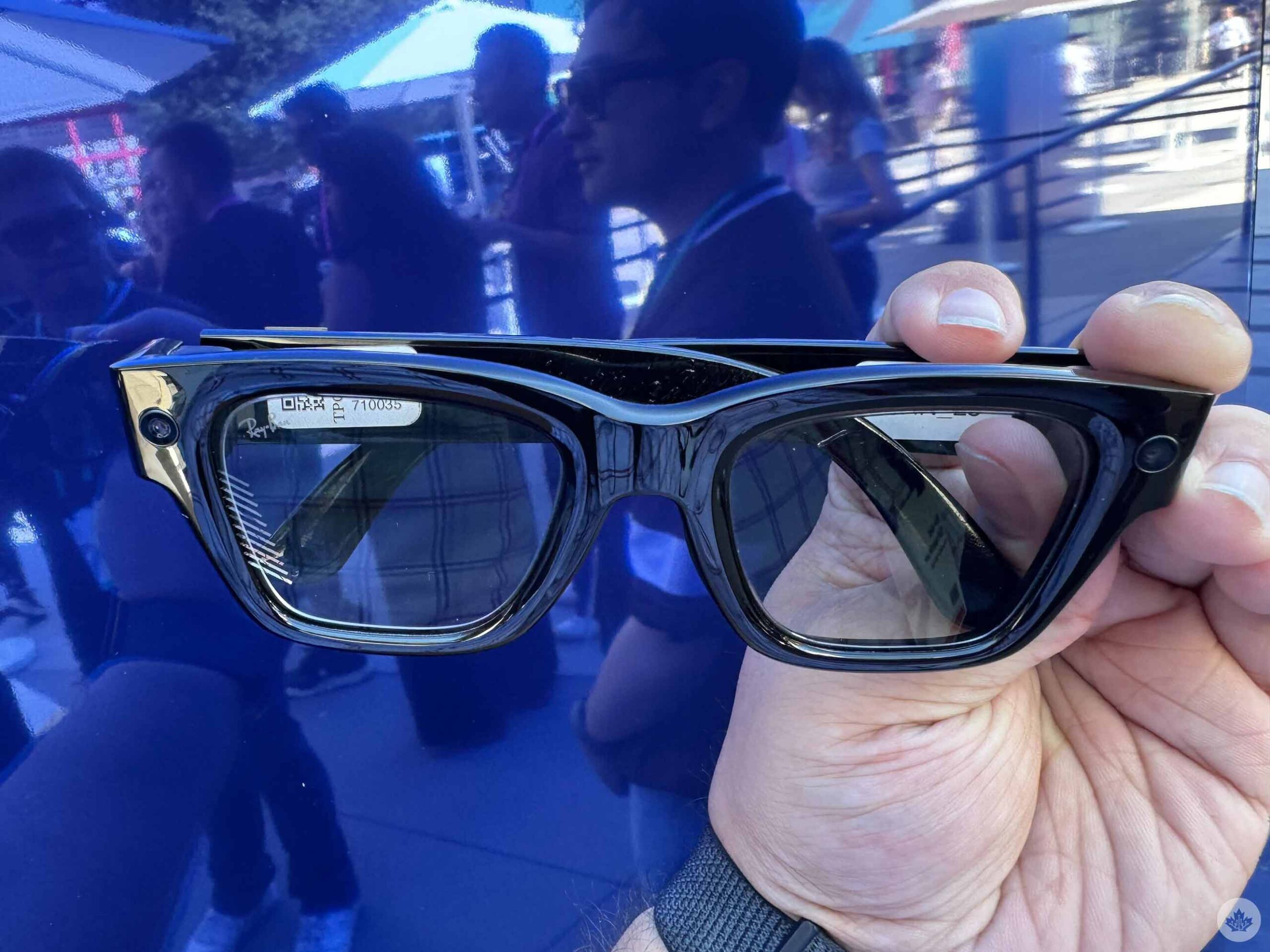
I’ve had an interest in the Ray-Ban Meta smart glasses ever since I got to try them out at Meta Connect 2023. As someone who had undergone a LASIK procedure not that long before it, I was certainly open to decent sunglasses, especially if they had all these social features like those offered by Meta. Ultimately, though, my colleague Dean Daley ended up reviewing the glasses for us.
Naturally, then, I was eager to try out the next evolution of these glasses at this year’s Meta Connect, the Meta Ray-Ban Display. As the name suggests, it adds an in-lens virtual display through which you can use various apps. Ahead of its announcement during the Connect keynote, I got to go hands-on with the Display and came out pretty impressed.
First and foremost, it should be stressed that this is not the augmented reality Orion prototype that Meta teased last year. (The company says that’s still in the works.) Instead, it takes the base framework of the standard Ray-Ban Meta glasses and adds the display. At the same time, though, it’s not some Iron Man armour-esque heads-up display (HUD) within your glasses; it’s a decidedly minimalist overlay that doesn’t take up much space. But if you keep all of this in mind when you go in, the Display makes a solid first impression.
Above all else, it’s quite intuitive. All you have to do is put on the packed-in Meta Neural Band, an EMG (electromyography) wristband that tracks your gestures based on muscle activity. From there, you’ll be able to swipe and pinch your fingers in different directions to navigate the in-lens display without needing to touch the Display itself or take out your phone.
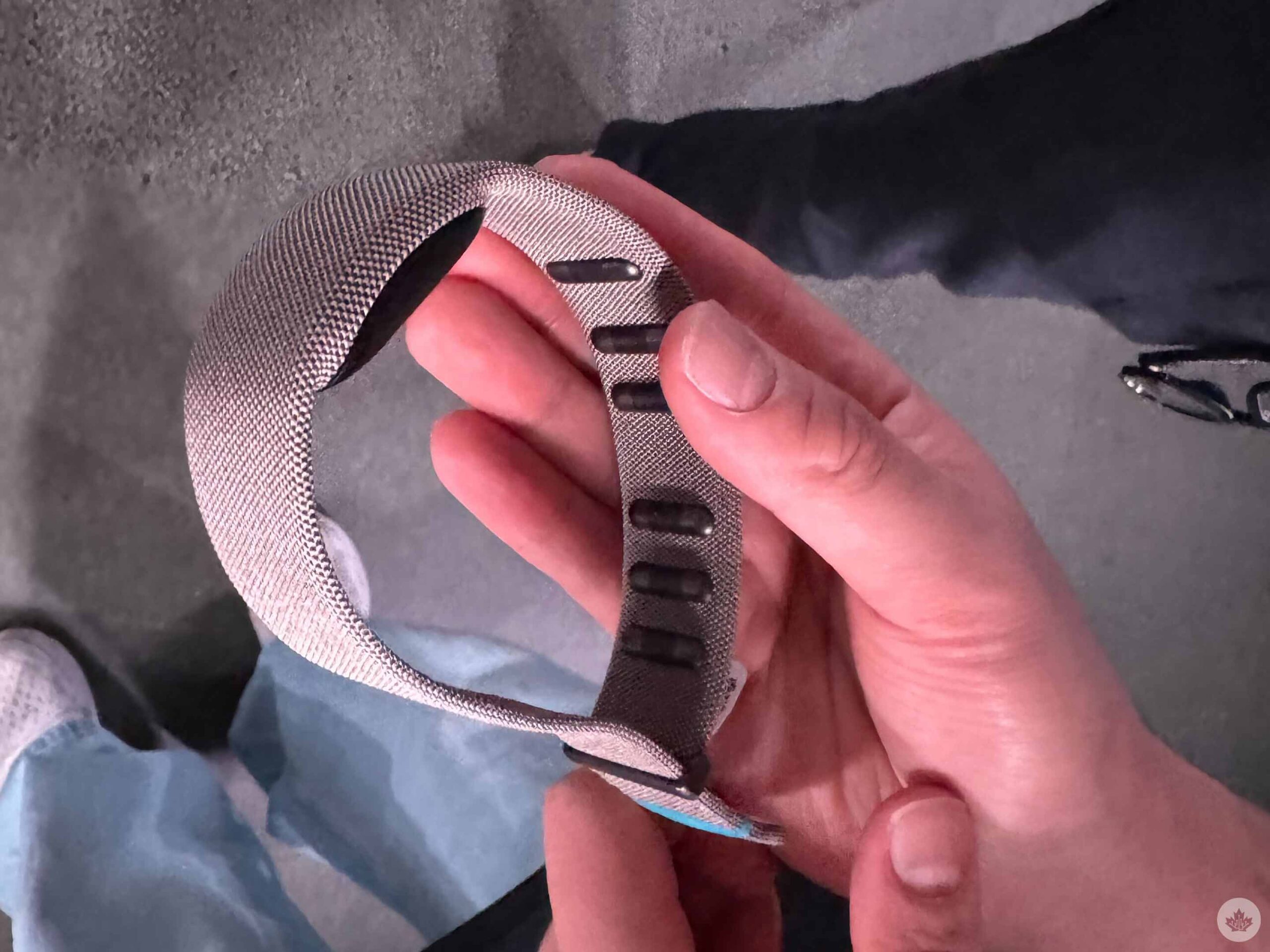
Indeed, Meta says it wants the glasses to allow you to stay “tuned into” the world around you rather than play around on a second screen. For the most part, I’d say it’s succeeded. Admittedly, I found the finger gestures rather finicky at times, with the Display seemingly not registering a good chunk of my inputs. I suspect that this will improve once you get more acclimatized to this unorthodox control scheme. (For instance, I eventually learned that the index finger and thumb pinch and rotating maneuver to control camera zoom and volume levels required quite a firm push.)
But once you get it going, it’s pretty snappy. With just simple slides of your thumb, you can can scroll through tabs, while the aforementioned index finger/thumb combo will select an option. What’s particularly neat is you don’t actually have to hold up your hand or keep it in view of the glasses. Because it’s tied to the wristband, you can simply keep it at your side or even behind your back and it will still register inputs.
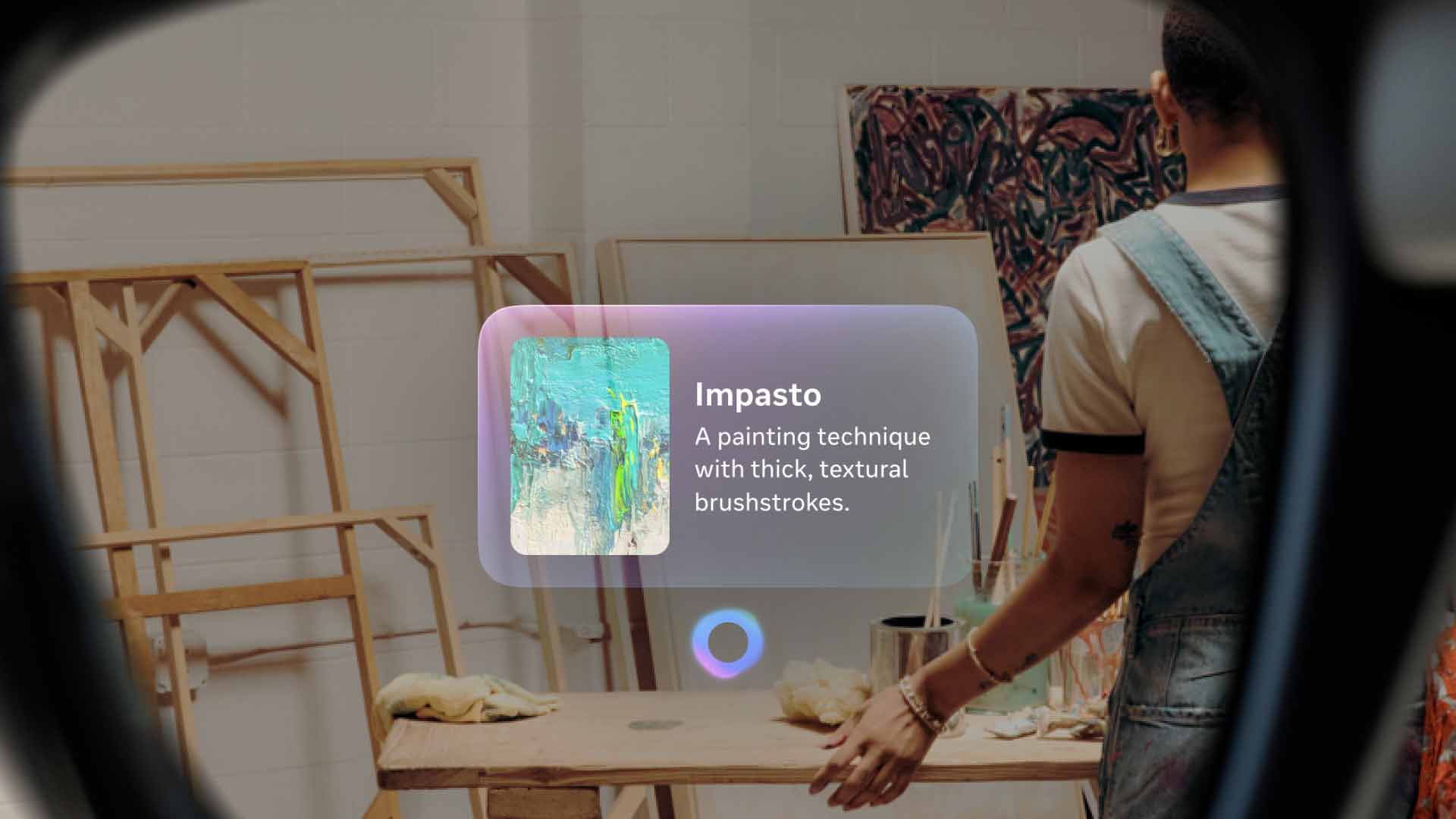
One of the Meta AI features. (Image credit: Meta)
Having said that, there isn’t any option to actually adjust the size of the display, which is quite a frustrating restriction. It’s possible this could boil down to the Display’s monocular setup, but either way, I found myself wishing I could make it a bit bigger. Given that I’ve used the Meta Quest 3 a fair bit, which makes it simple to resize windows, I had figured the Display would have some similar option. It’s particularly limiting here because, unlike VR, which creates a whole new world, these smart glasses use AR and place the display over your real-world POV, which means it can be hard to see at times, depending on the background. I hope that some customization option comes in a future update or, at worst, a subsequent Display model.
But where the lack of display sizing options disappoints, the breadth of apps and features certainly doesn’t. Of course, you have your photo and video capture options thanks to the 12-megapixel ultrawide camera that can capture media in up to 3K, just like the base Ray-Ban Meta models. The big improvement, though, is the aforementioned pinch-to-zoom feature. This addresses one of the major shortcomings of Meta’s other Ray-Bans, which lack this functionality and would basically make some photos and videos useless unless you were close enough.
Another app that could be a genuine game-changer is Maps. In my little demo space, I didn’t get to properly try it outside of pacing back and forth to see my little icon move a little bit, but the potential for this app is easy to imagine. As someone with a terrible sense of direction, having virtual directions would be a godsend, especially if I’m walking in a big city like Toronto or New York and don’t have to worry about looking down at my phone.
And naturally, Meta AI is a big part of these glasses, just like it is with the company’s other pairs. In a little guided activation, I got to see some of the use cases on Meta AI. In the first room, the words “Hey Meta, restyle this!” are written on a wall featuring a blue sky with clouds, while a large blue hand statue was in front of it. Saying that prompt would automatically take a picture of all of this and rejig the image into something new: in my case, it was some futuristic sci-fi machine in place of the words and a metallic glove in place of the hand. Truthfully, I have my issues with images that involve AI, and this just seemed pretty gimmicky to boot.
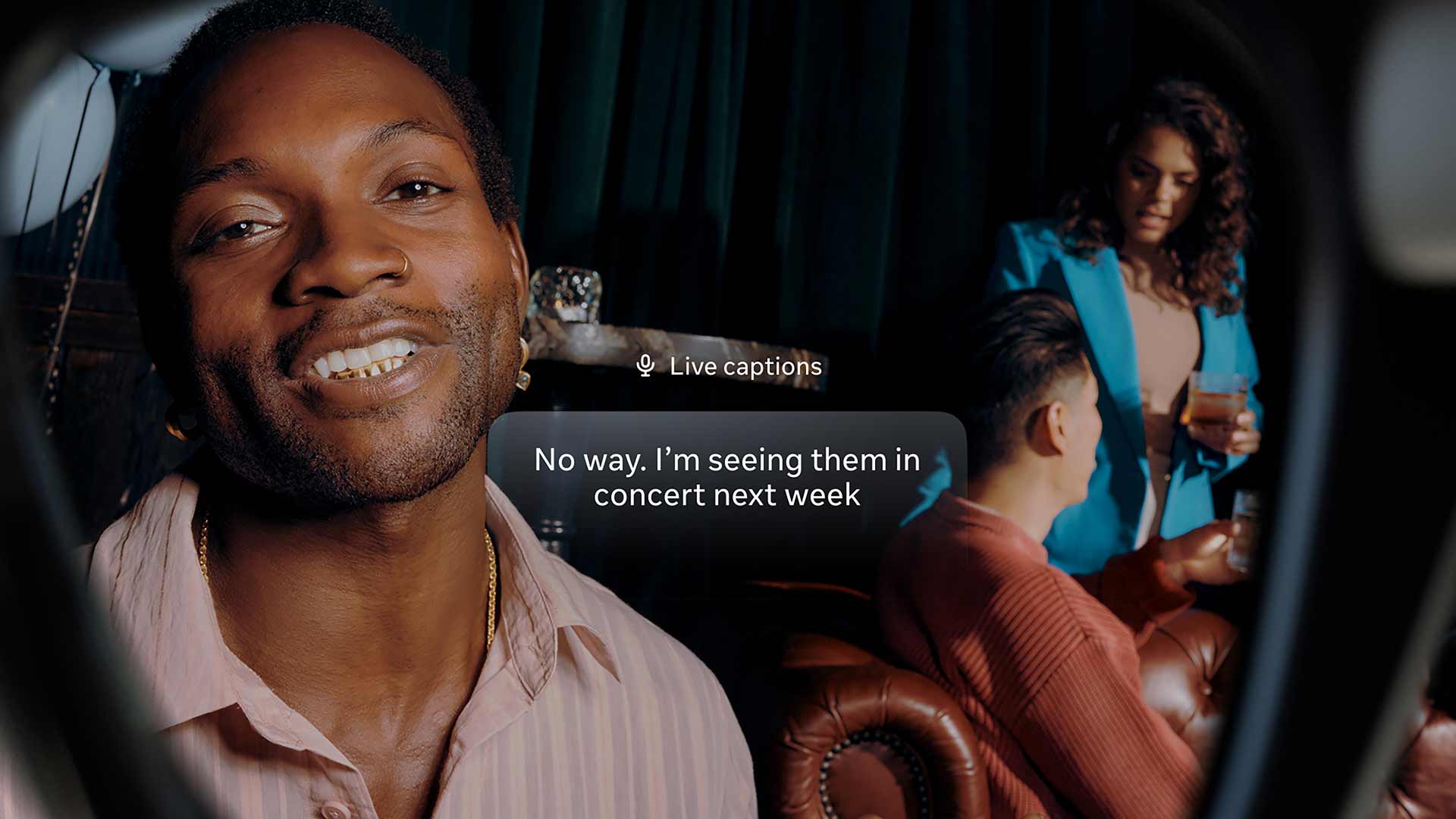
Live captions. (Image credit: Meta)
But the other rooms had much more practical — and decidedly less ethically questionable — applications of AI. One of these rooms was set up like a little museum, and we were prompted to enable live captions as our surrogate Meta “tour guide” told us about each piece of artwork. Even in a small room with six people and fairly loud fan, the glasses impressively picked up almost every word she said, outside of a few errors, like missing the name of a Swedish artist she named or saying “captains” instead of “captions.” In any event, it’s easy to see how this could be a particular boon to those who are hard of hearing, a nice addition to the existing perks that the Ray-Ban Meta glasses have provided to the visually-impaired.
Another room, meanwhile, showed benefits that could help anyone. Here, there were various stylized pieces of art on the walls, and we were prompted to ask Meta AI about them. “Hey Meta, what are style is this?” reads one of them. Once you say the words, Meta AI will take a few seconds to pull up an answer — in this case, comic book — and a few sentences of an explanation. It also provides prompts for related queries, like comic book artists. I’m going back to Barcelona in a few weeks for a gaming event, and it’s easy to see how features like this could help me navigate and learn more about the city, especially when live translation is thrown into the mix.
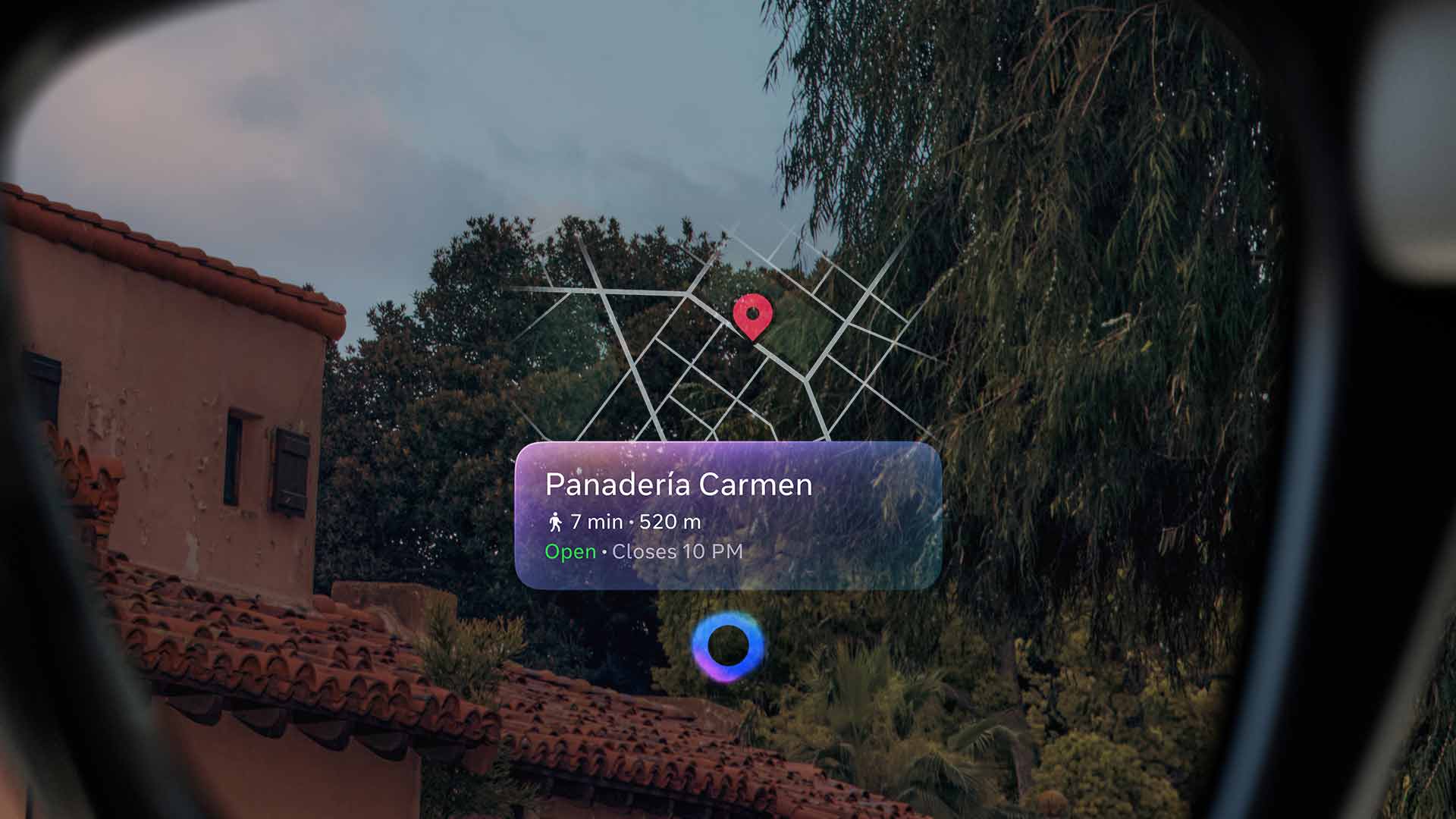
Navigation on the Display. (Image credit: Meta)
Having said all of that, I do question who this is for. At US$799 (about C$1,100), it’s very expensive. Certainly, this is novel tech, but you also have to consider that one of the other new products from Connect, the Ray-Ban Meta (Gen 2), costs C$520 and offers many of the same features. Is the display really worth more than double that? It’s hard to say. (This is assuming, of course, that the official Canadian price ends up being roughly the same as the current conversion rate.) Given that this is first-gen technology, too, it might be prudent to wait for the next iteration.
If nothing else, though, Meta says it plans to work with retailers in various markets to offer demos. So far, that’s Best Buy in the U.S., the only market in which the glasses are launching at first in October. However, Meta says it plans to launch the Display in Canada and a few other markets in early 2026. Hopefully, the opportunity to try out the glasses for yourself will come here then as well. And by then, maybe Meta will have even rolled out a few new updates to build upon the glasses even further.
As it stands, though, I’m not quite sure they’re worth (presumably) $1,000+, as cool as they can be. You’re likely better off just going with the Ray-Ban Meta (Gen 2) if you’re in the market for glasses. But either way, the Meta Ray-Ban Display is a promising first step in Meta’s ambitious plans for smart glasses, and I’m eager to see more after this.
MobileSyrup may earn a commission from purchases made via our links, which helps fund the journalism we provide free on our website. These links do not influence our editorial content. Support us here.

